
V.O2 now supports heart rate–based training across both mobile and web. Coaches and athletes can create workouts using heart rate zones, toggle between pace and heart rate views, and sync compatible workouts directly to supported devices including COROS, Apple, and Garmin watches.
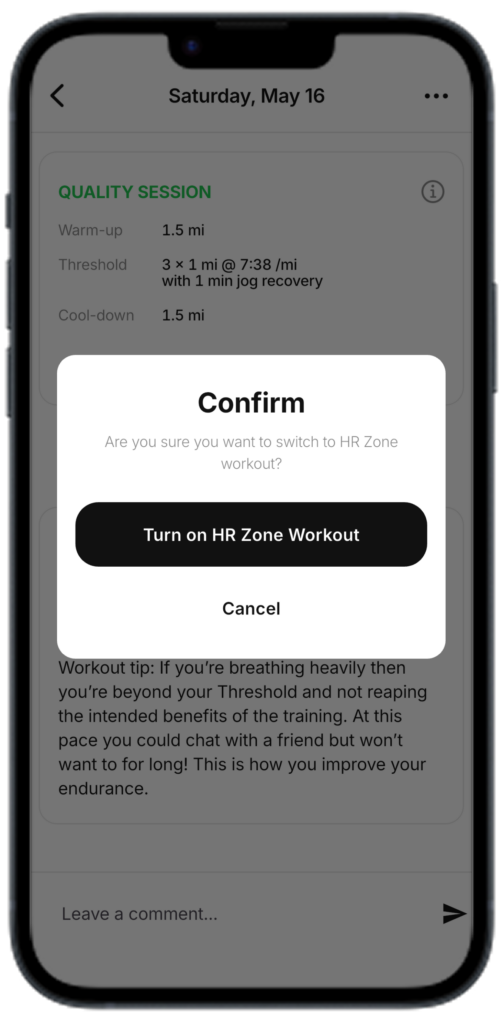
What’s New
- Convert VDOT pace efforts into equivalent heart rate zones automatically
- Toggle workouts between pace and heart rate
- Create heart rate–based training sessions
- Sync heart rate workouts to supported watches
- Customize athlete heart rate zones
Supported watch sync providers:
- COROS
- Apple
- Garmin
How to Toggle Between Pace and Heart Rate
On Mobile
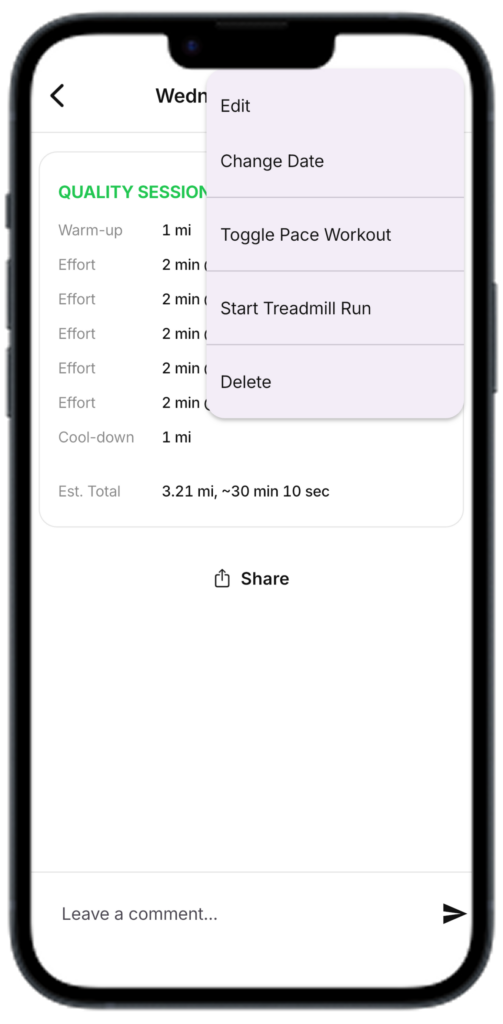
- Open a workout on the calendar
- Tap the workout details
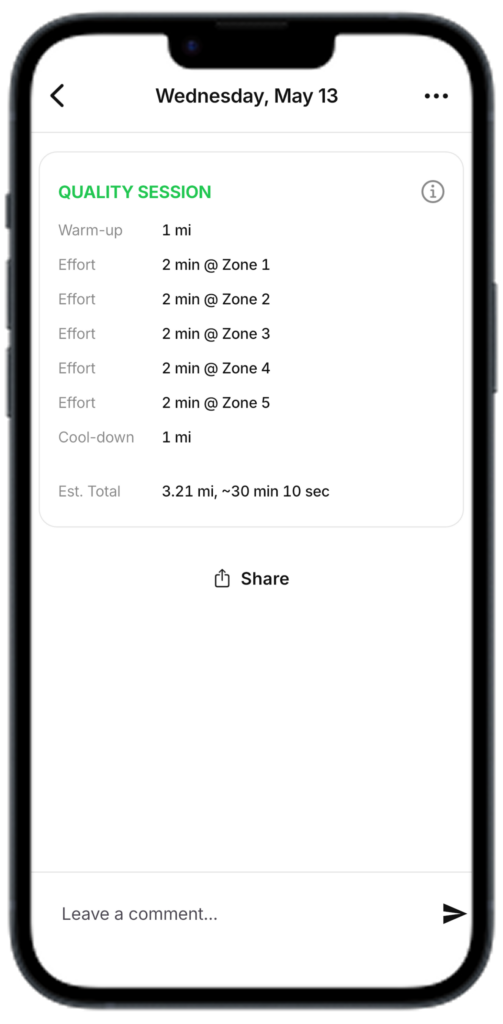
- Use the Pace / Heart Rate toggle in the top right selector
- The workout will instantly convert to the equivalent heart rate view
On Web
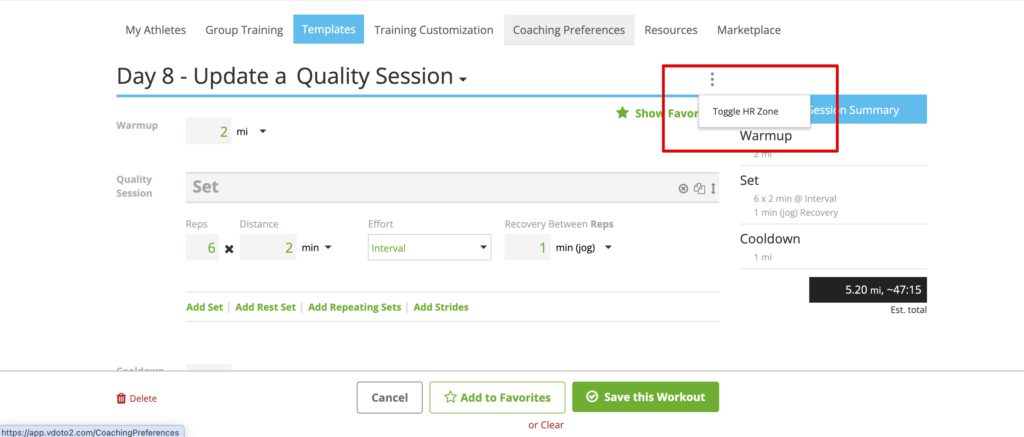
- Open the athlete calendar or workout builder
- Select a workout
- Use the Pace / Heart Rate toggle
- Workout targets will update automatically
This allows coaches and athletes to quickly switch between training methods depending on preference, terrain, weather, or device setup.
Heart Rate Zone Conversions
When converting VDOT paces to heart rate, V.O2 uses the following recommended effort mapping:
| Effort | Zone |
Easy (E) | Zone 2 |
| Marathon (M) | Zone 3 |
| Threshold (T) | Zone 4 |
| Interval (I) | Zone 5 |
| Repetition (R) | Zone 5 |
| Fast Repetition (FR) | Zone 5 |
Easy Pace
Easy pace can be designated by either Zone 1 or Zone 2.
Templates
Coaches can create HR based training templates.
Where are zones defined?
V.O2 doesn’t define the the heart-rate zones and will simply identify the zone for the watch, and the zones are inherited from the watch. Since the athlete’s watch will determine the heart rate of the zones, all changes to heart rate ranges should be done on the athlete’s watch settings.