If you have an active Fuelin subscription, you can sync your V.O2 training plan so Fuelin can generate personalized fueling recommendations based on your workouts.
Step 1: Open the Fuelin App
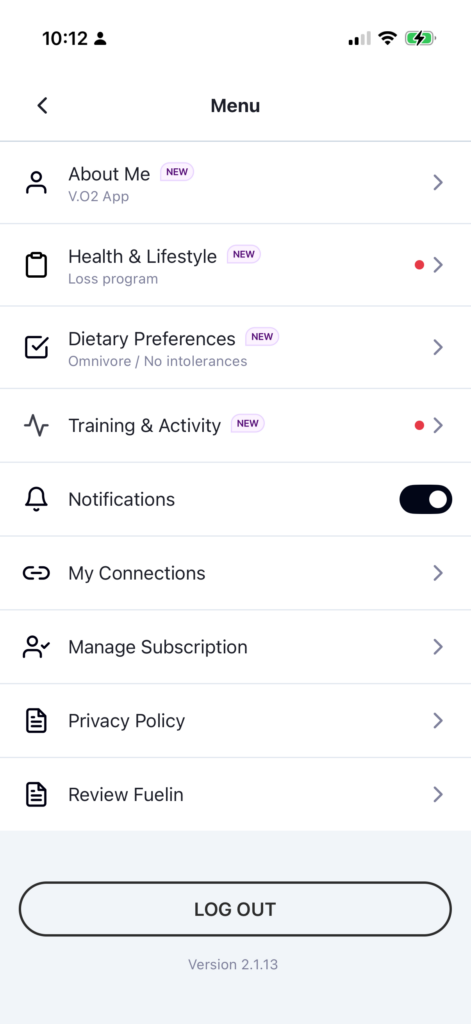
Open the Fuelin app and go to Menu → My Connections.
Step 2: Select V.O2 as Your Training Plan
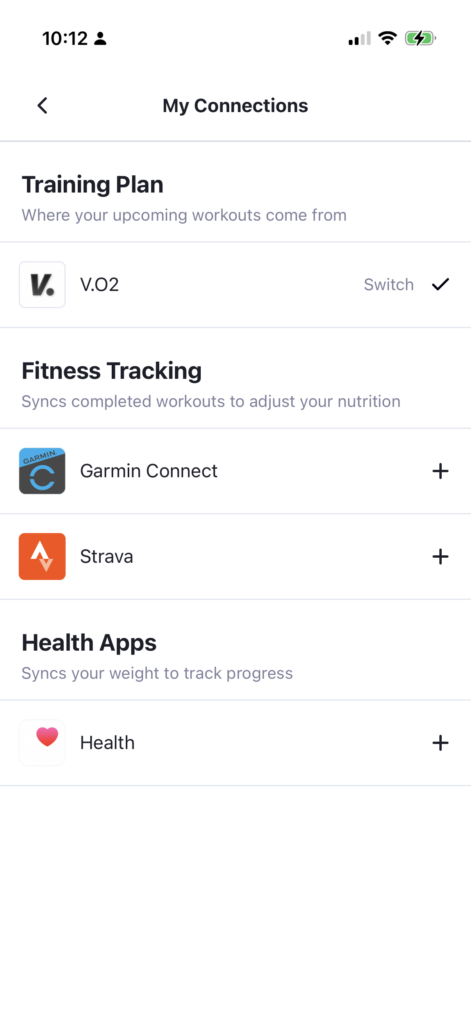
Under Training Plan, select V.O2.
This allows Fuelin to read your upcoming workouts from your V.O2 training plan.
Step 3: Confirm the Sync
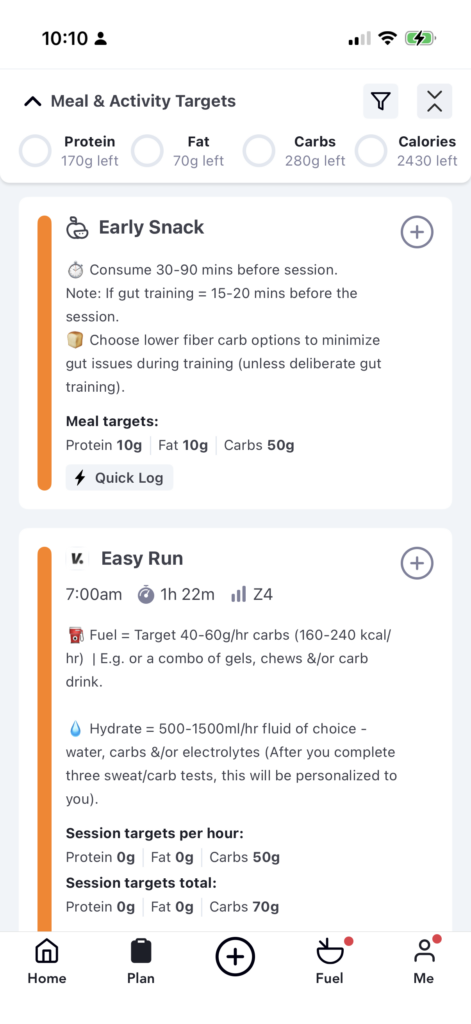
Once connected, your V.O2 workouts will appear inside the Fuelin app, along with fueling and hydration guidance for your sessions.
Need Help?
If your workouts are not appearing:
- Confirm V.O2 is selected under Training Plan in My Connections
- Make sure your Fuelin subscription is active
- Try reconnecting the integration
If you continue to have issues, contact info@vdoto2.com.